
Everything your business needs to keep work moving.

Answer customers, book appointments, sell products, follow up and run your team from one connected workspace.

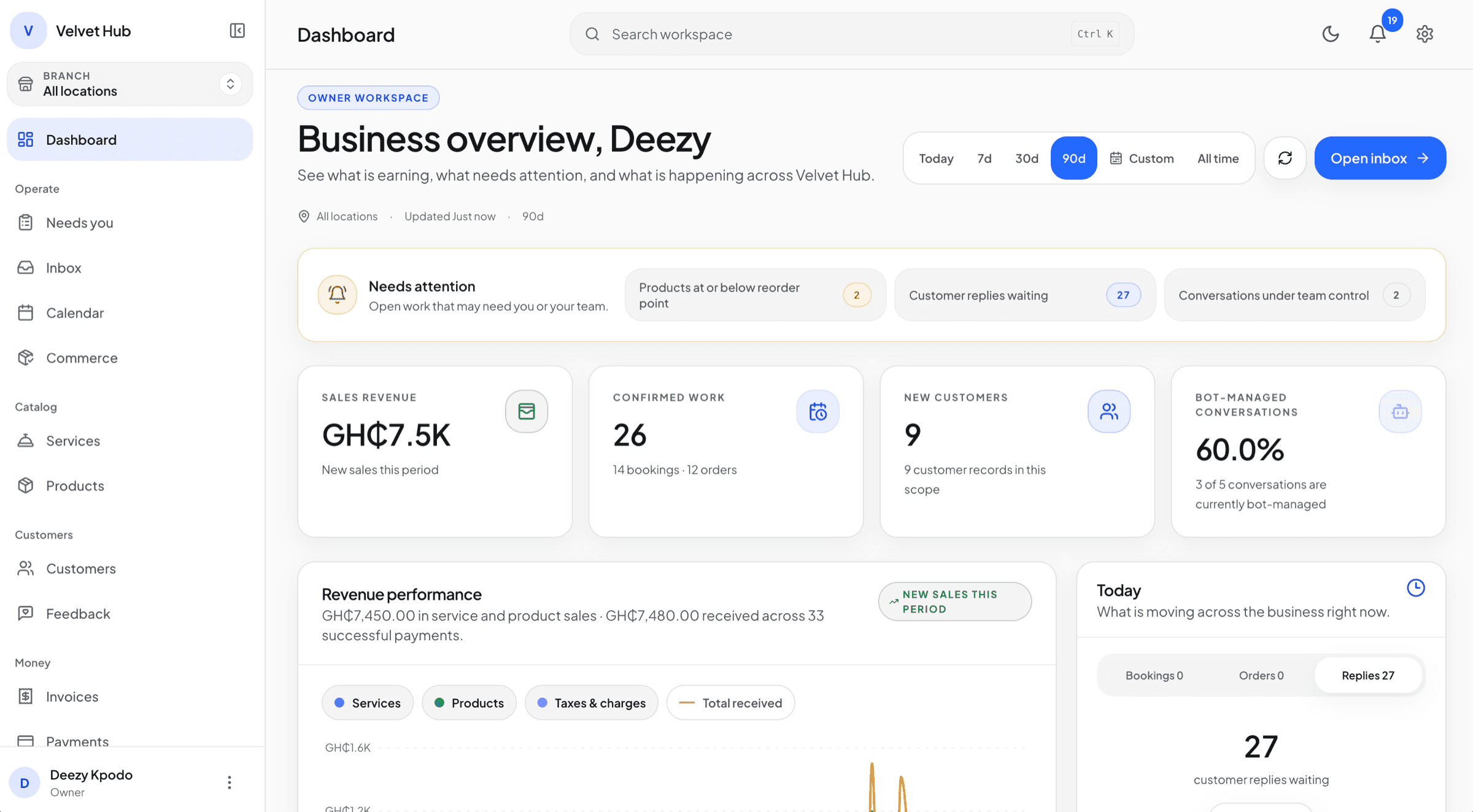
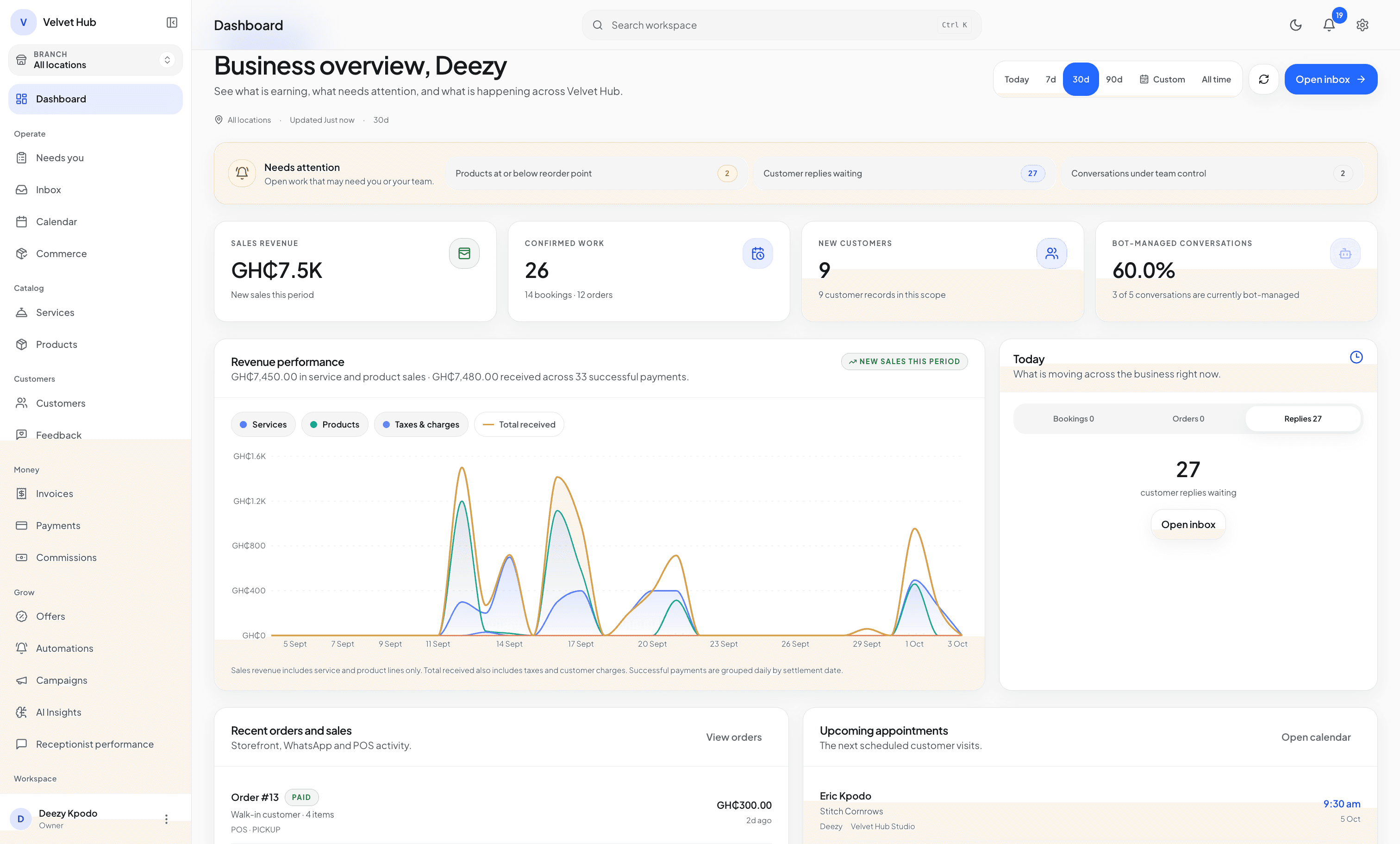
KullGrid owner dashboard showing what needs attention, sales revenue, confirmed work, new customers, bot-managed conversations, revenue performance, recent orders and upcoming appointments.
Real KullGrid owner dashboard.

What KullGrid does for your business.

Five connected parts of one workspace. Each one shares the same customer, booking, order and payment record.

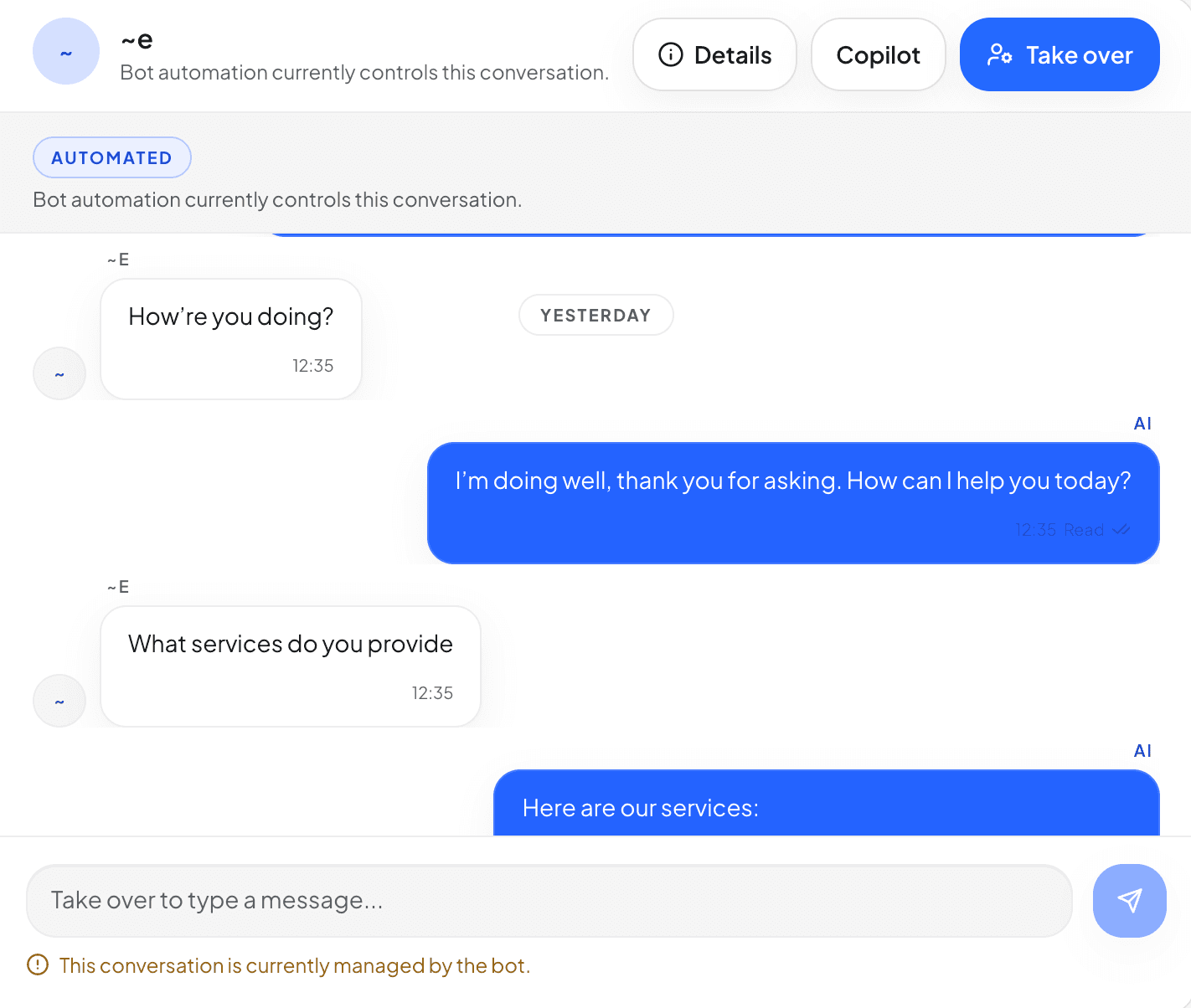
KullGrid Inbox conversation handled by the assistant, with Details, Copilot and Take over controls.

Answer customers

Helpful recommendations, grounded in the business behind them.

KullGrid uses services, products, customer context, policies, and conversation state to help with enquiries while deterministic systems keep authority over prices, bookings, orders, and payments.

  • Service- and catalogue-aware WhatsApp replies
  • Customer context and memory
  • Human takeover and controlled autonomy
  • 09:00Silk pressEfuaConfirmed
  • 11:30ManicureAmaDeposit pending
  • 14:00Knotless braidsAkosuaConfirmed
  • 16:30Lash refillEfuaConfirmed

Book appointments

Availability that respects the way your team actually works.

Services, durations, staff, locations, working hours, breaks, time off, conflicts, and deposit rules are checked before a booking is committed.

  • Staff and location availability
  • Multi-service and group booking paths
  • Reschedule, cancellation, and conflict controls
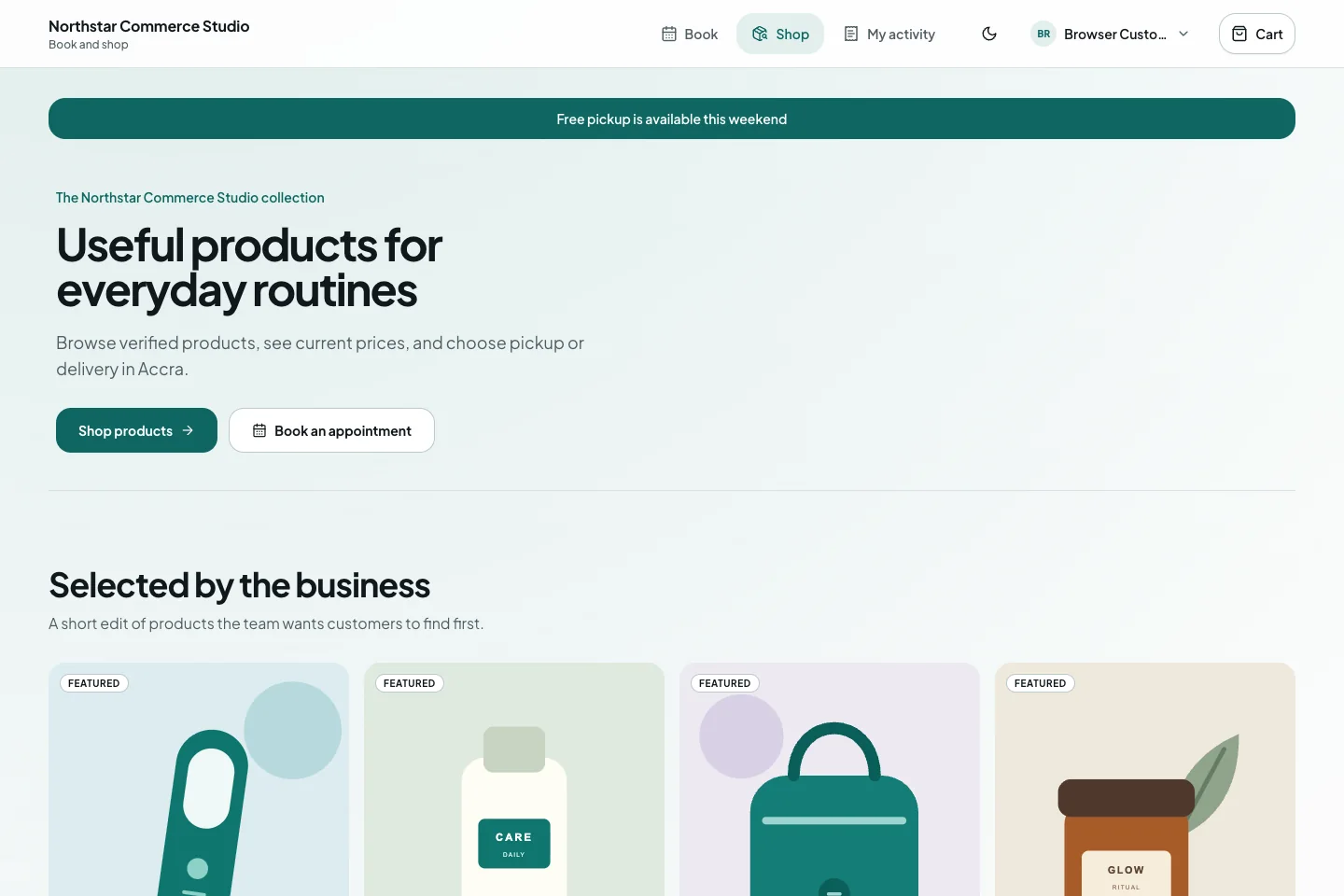
KullGrid customer shop for a fictional studio with featured products, GHS prices, and shop and booking actions.

Sell and get paid

Sell services and products without losing operational truth.

Catalogue recommendations, checkout, deposit links, invoices, balances, orders, receipts, and fulfilment remain connected to the customer and the underlying booking or sale.

  • Service, product, package, and add-on discovery
  • Deposits, checkout, invoices, balances, and receipts
  • Orders, inventory, fulfilment, and POS on eligible plans
Amara MensahCustomer since July 2026
Last booking
Knotless braids, 29 Jul
Prefers
Saturday afternoons
Deposit
GHS 120 verified

Know every customer

The next conversation begins with useful context.

Customer records can connect preferences, service and purchase history, active bookings, balances, notes, follow-up, campaigns, and loyalty tools.

  • Shared customer history
  • Preferences and active booking context
  • Campaign, loyalty, discount, and follow-up tools
KullGrid dashboard showing customer replies waiting, conversations under team control, new customers and the share of conversations the assistant manages.

Run the team

Give every role a clear view and a safe next action.

Owners, managers, agents, technicians, finance users, cashiers, and admins work through role-aware surfaces with approvals, audit evidence, notifications, and runtime controls.

  • Shared Inbox and assignment
  • Role- and branch-aware workspaces
  • Notifications, reporting, approvals, and audit evidence

How a conversation becomes finished work.

The conversation helps the customer move forward. Your services, schedule, prices and payment rules decide whether each step is valid.

  1. 1

    Understand

    Identify service need, product intent, timing, budget, and useful customer context.

  2. 2

    Validate

    Check staff, availability, inventory, prices, policies, and required details.

  3. 3

    Collect

    Apply a deposit, full payment, milestone, or approved offline payment option.

  4. 4

    Confirm

    Confirm the booking, order, or combined transaction only after validation.

  5. 5

    Handoff

    Assign service execution, pickup, delivery, fulfilment, or human review.

AI helps. Your rules decide.

Useful replies, summaries and recommendations never become permission to create a booking, mark a payment as paid, change stock or skip a team role.

ConversationUnderstands, explains, asks, summarises and prepares the next step.
Your rulesChecks the workspace, role, plan, schedule, policy, payment and current state.
Your teamTakes over, reviews exceptions, approves actions and owns the relationship.
Review security and controls

Put the complete workflow into your business.

Create your account, set up your services and products, then start the trial when the essentials are ready.

Seven days of Growth, up to 100 AI responses and no card. The trial starts only after setup.

Sunlit blue arches joined by a curving white walkway, the KullGrid brand image.